What is an ERP system and how is it different from a CRM?
What is ERP?
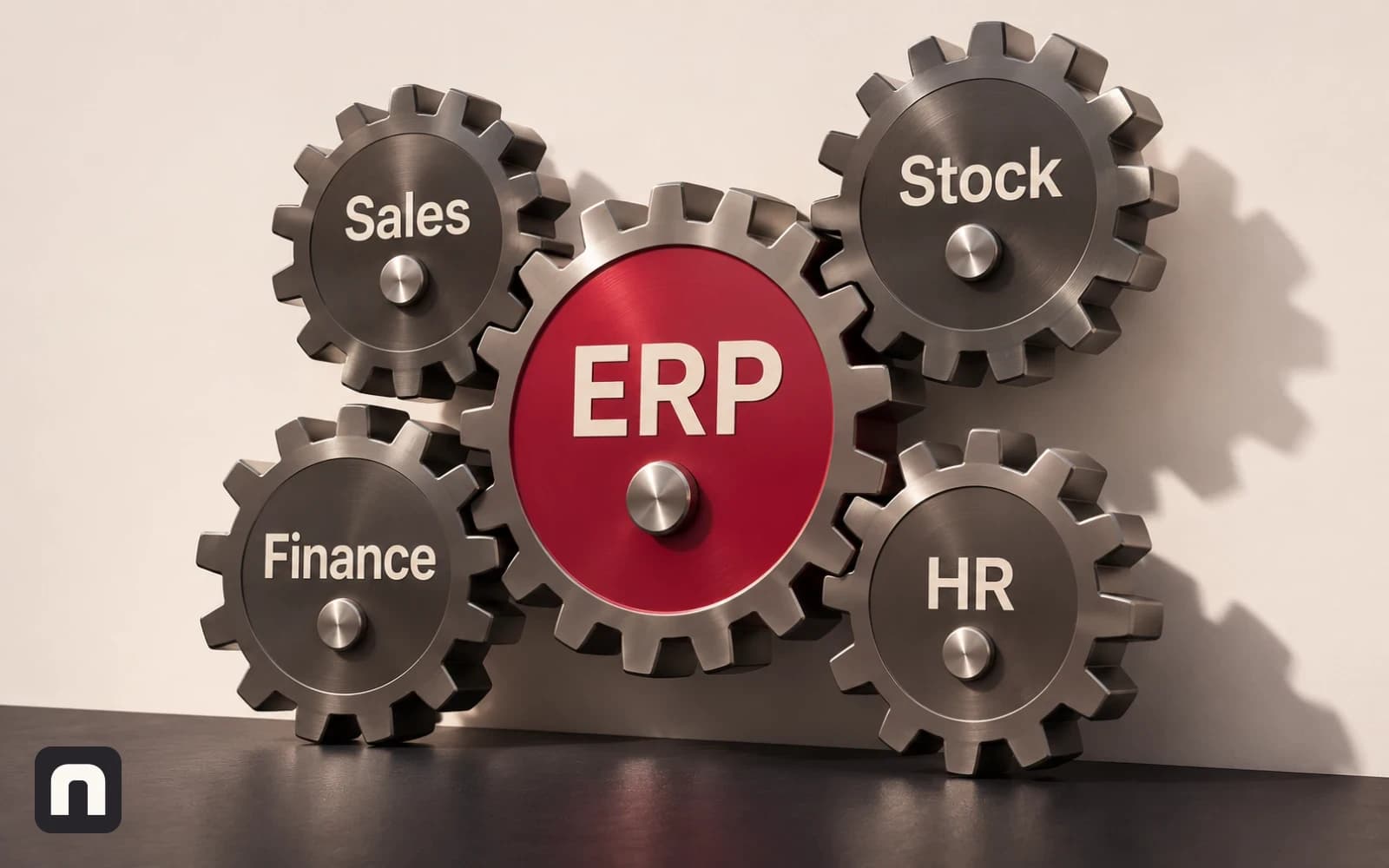
ERP (Enterprise Resource Planning) is software that brings a company's core processes into one system: finance, inventory, purchasing, sales, production and HR. Every department works in the same database, so a number is entered once and everyone sees it at the same time.
A simple example: a sales rep enters an order, the system immediately reduces stock, an invoice appears in accounting, and when stock falls to the minimum, purchasing gets an alert. In a company without ERP, those four steps run through four separate spreadsheets and several phone calls.
Which processes does an ERP connect?
ERP systems are made of modules. You don't have to switch them all on at once — you can start where it hurts most:
- Finance and accounting: income and expenses, invoices, payments, reports
- Inventory: stock levels, stock movements, counts, multiple warehouses
- Purchasing: suppliers, purchase orders, price comparison
- Sales: orders, price lists, discounts
- Production: material usage, production planning, unit cost
- HR: employees, working hours, payroll
The real value of an ERP is not the modules themselves but the fact that they are connected: a change in one department shows up in the others automatically.
What is the difference between ERP and CRM?
The two are often confused, but they answer different questions. A CRM faces outward: customers, enquiries, sales stages, calls. An ERP faces inward: money, goods, production, people.
- A CRM asks: «Who is this customer, when did we last call, what stage is the deal at?»
- An ERP asks: «How much stock do we have, what does this order cost us, how much did we make this month?»
Most small and mid-sized companies start with a CRM, because sales come first. An ERP becomes necessary as inventory, branches and reporting grow. The best results come when the two are connected: a deal closed in the CRM becomes an order and an invoice in the ERP.
Is accounting software an ERP?
Many companies run their books in accounting software such as 1C or QuickBooks. Most of these cover accounting only; they don't bring sales, inventory, production and reporting together. Having accounting software does not mean you have an ERP.
In practice, a common path is to keep accounting where it is, build a separate system for sales, orders and customers, and connect the two through an accounting integration. The accountant keeps the tool they know, and the sales team gets an interface that fits their work.
When does a business need an ERP?
These signs usually show it's time to move to an ERP:
- The same data lives in several spreadsheets and the numbers don't match
- Actual stock in the warehouse differs from stock in the system
- Preparing the monthly report takes days
- You have several branches or warehouses and can't see them in one place
- When one employee goes on holiday, a process stops, because it all lives in their head
If two or three of these sound familiar, the problem isn't the software — it's scattered data, and that is exactly what an ERP solves.
Off-the-shelf ERP or a custom system?
Off-the-shelf ERP (SAP, Odoo, NetSuite and others)
Pros: proven modules, a fast start. Cons: the company has to adapt to the software, licences are usually paid per user, and local processes need extra development.
Custom ERP
Pros: the system is built around your processes, with no modules you don't need and no per-user licence. Cons: higher upfront cost and a longer build.
A hybrid approach
Your existing accounting software stays, and custom modules for sales, orders, inventory and reporting are built on top of it. This is often the lowest-risk path, because the part your team already knows doesn't change.
How does an ERP rollout work?
- Process review: what each department does, where data flows and where it gets lost
- Priorities: which module saves the most time and money first
- Choosing or building the system
- Moving existing data: customers, products, stock
- Training the team
- A phased launch: one department first, then the rest
The most common mistake happens at step two: switching on every module at once. Launching one module and seeing the result lowers both the risk and the cost.
Frequently asked questions
How much does an ERP system cost?
The price depends on the number of modules and users and on integrations with other systems (accounting, website, bank). An exact figure comes as a written plan once the processes have been reviewed.
Does a small company need an ERP?
A company with one warehouse and a few employees is usually well served by a properly set-up CRM and accounting software. An ERP pays off as branches, warehouses and reports multiply.
Can an ERP be connected to our existing accounting software?
Yes. Integration with 1C and other accounting tools is one of the most common jobs: products, prices, stock and orders move between the two systems automatically.
Our service for this
- More about CRM development
CRM development
Customers, enquiries, orders and payments in one place: no enquiry gets lost, and you can see where sales stall. If an off-the-shelf CRM fits your work, we set it up. If not, we build one around how you work.
Related posts
All posts CRM & ERP
What is a CRM? What a CRM system does and when a business needs one
A CRM keeps customers, deals and conversations in one place. What it does, how it differs from spreadsheets, off-the-shelf vs custom CRM, and how to roll one out.
Read Mobile app
How much does it cost to make an app, and what drives the price?
What sets the price of a mobile app, which costs to plan for, and how to get an exact quote.
Read
Tell us about your project
We'll clarify what you need and send a written plan and price.